Choose the pain point
Start with prep, reminders, 86 alerts, schedules, ordering, or whichever problem costs the manager the most time.
How it works
86 Chaos is being tested in a working kitchen by the founder, so setup focuses on what teams can actually use during service.
Pick the area that hurts most first, such as prep, reminders, 86 alerts, schedules, or ordering. Founder Beta includes free setup help, and the rest can be added gradually as the team gets comfortable.
Simple rollout
The goal is to start small, prove it helps, and build from there without overwhelming the team.
Start with prep, reminders, 86 alerts, schedules, ordering, or whichever problem costs the manager the most time.
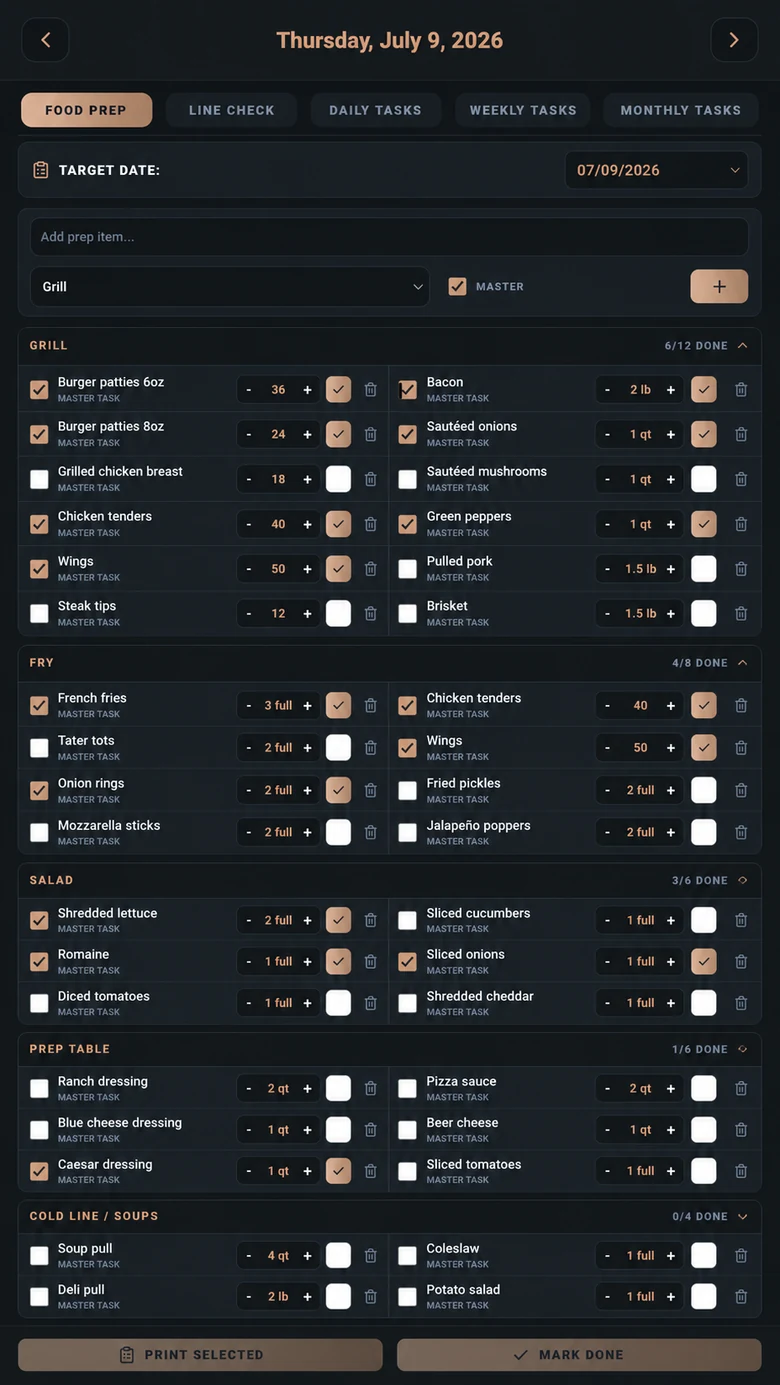
Founder Beta includes hands-on setup help. Build the smallest useful version of the workflow and test it on a real shift.
Use simple daily screens and 86Voice commands so staff can update work without stopping to learn a complicated system.
Connect inventory, invoices, recipes, waste, events, maintenance, labor, and Manager Brief as the restaurant is ready for more visibility.
Why 86Voice matters in the rollout
It is one of the biggest adoption tools because it reduces tapping. Staff can keep prep, tasks, reminders, recipes, maintenance, and 86 alerts updated without stopping what they are doing.
Where AI fits in the day
The point is not to replace the manager. The point is to make sure the manager sees what matters faster.
Prep prediction, event supply planning, order drafts, par warnings, and Manager Brief attention items help the day start cleaner.
86Voice, 86 alerts, Menu Intelligence, status questions, reminders, and Kitchen Command Center help the team react faster.
Burn/waste analysis, invoice warnings, recipe/menu cost signals, labor visibility, and close notes help owners improve the next day.
Useful attention, not more noise
Ordering risk, invoice price changes, waste patterns, par issues, event needs, prep pressure, maintenance, and other operational concerns can be summarized for manager review instead of hiding in separate screens.
Manager attention
86 Chaos can turn operational signals into clear Manager Brief items, reviewable recommendations, reports, and alerts, while leaving the final business decision with the manager.
Explore AI ToolsFrom chaos to draft
Instead of asking “what do we usually need,” managers can start from a draft that considers actual restaurant signals, then make the final call.
See AI + OrderingExample day
86Voice in the workflow
Even small daily improvements can make the app worth it: fewer missed prep items, fewer scattered notes, clearer handoffs, better ordering review, and less manager chasing.
Burn logs, prep history, invoice records, and 86 alerts turn food-cost leaks into something managers can actually see and fix.
When the app saves time and helps tighten inventory, it stops feeling like another subscription and starts acting like a control system.
Prep, tasks, 86 alerts, reminders, and schedule details keep the day visible to the people doing the work.
Recipes, specs, yields, station work, and menu-impact notes help the kitchen keep standards from living in one person’s head.
Invoices, labor, daily close, maintenance, and financial snapshots make repeat problems easier to catch and fix.
90 days free, no credit card, no purchase required, and free setup during beta. Accepted restaurants help shape the product and receive 50% off the first location for the first paid year.